

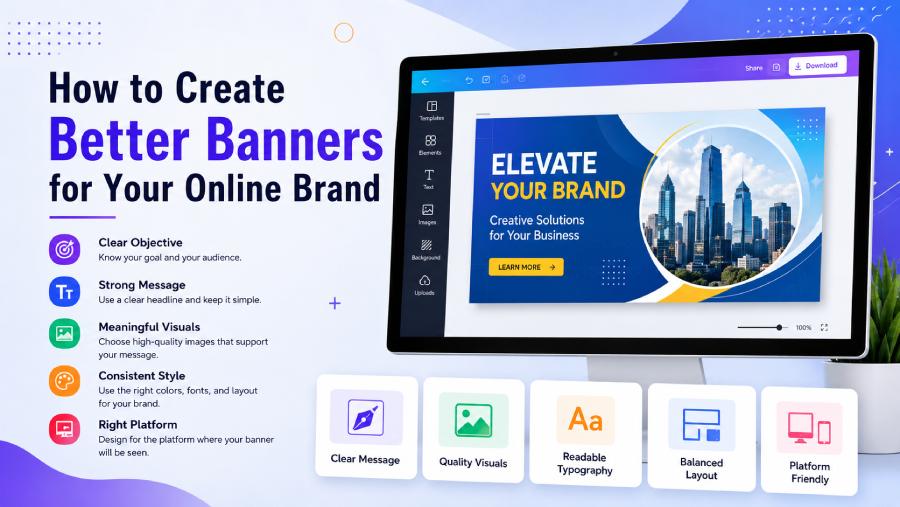
A banner can be one of the first things people notice when they visit a website, social media page, or online campaign. It can introduce a business, promote an event, highlight a product, or simply make a digital space look more professional. A thoughtful banner combines clear messaging with attractive visuals, helping audiences understand the purpose of a brand or campaign quickly.
Begin With a Clear Objective
Before starting a design, decide what you want the banner to accomplish. A promotional banner may encourage people to explore an offer, while a business banner might focus on building brand recognition.
Understanding the objective helps you decide which information should receive the most attention. A banner with a clear purpose is usually more effective than one filled with unrelated text and visual elements.
Consider your audience as well. The style of a banner should match the people you want to reach. A professional business may require a polished and minimal look, while a creative project might benefit from a more colourful and expressive approach.
Focus on the Main Message
A banner should communicate its central idea quickly. Online users often scan content rather than reading every detail, so the most important message needs to be easy to notice.
Use a concise headline that explains the purpose of the banner. Supporting text can provide additional context, but avoid including too much information. A short message with a strong visual presentation can often make a greater impact than a crowded design.
The text should also be positioned where it can be easily seen. Avoid placing important information over areas of an image that make it difficult to read.
Choose Visuals That Add Meaning
Images, illustrations, and graphic elements can make a banner more engaging. However, every visual should support the overall message.
For example, a product promotion might use a clear image of the product, while an event banner could feature visuals that reflect the event’s theme. A company may choose simple shapes and brand elements to create a more professional appearance.
High-quality visuals can improve the overall impression of a design, but the layout should remain balanced. Too many images or decorative elements may distract from the main message.
Create Your Own Visual Style
Using an online banner maker can make the design process easier for beginners and experienced creators alike. Instead of starting with complicated software, users can explore layouts, experiment with different visual ideas, and customise elements according to their needs.
A unique style can be created by combining suitable colours, fonts, images, and design elements. Personalisation is important because a banner should reflect the identity of the brand or project it represents.
Select Colours Carefully
Colour can influence how a banner feels and how quickly people notice it. Bright colours may create an energetic appearance, while softer or neutral shades can produce a more elegant and professional look.
Try to select colours that work well together. If a business already has established brand colours, using them can help maintain consistency across different marketing materials.
Contrast is also important. Text should stand out clearly from the background so that the message remains readable on different screens.
Use Typography to Improve Readability
Fonts can affect the personality of a banner. A bold typeface may help create a powerful headline, while a clean and simple font can make supporting information easier to read.
Avoid using too many font styles in one design. A small selection of complementary fonts usually creates a more organised appearance.
Pay attention to the size and spacing of the text as well. Even an attractive font can become difficult to read if the letters are too small or placed too closely together.
Maintain a Balanced Layout
A good layout guides the viewer through the design naturally. The main headline should generally attract attention first, followed by supporting information and any call to action.
Leave enough space between different elements. Empty space can make a design feel cleaner and prevent important information from getting lost.
A balanced layout also makes the banner more adaptable for different platforms, including websites, social media pages, and digital advertisements.
Design for the Right Platform
Different platforms often require different banner dimensions. A website header may have a wide layout, while a social media graphic may require a different shape.
Think about where the banner will be used before beginning the design. This allows you to position the most important elements correctly and reduce the risk of text or images being cropped.
If the same campaign will appear across several platforms, creating different versions can help maintain a consistent appearance while respecting each platform’s layout requirements.
Use Templates for Creative Inspiration
Templates can be useful when you are unsure how to begin. They provide a basic structure that can be customised with your own text, images, colours, and branding.
A template should be viewed as a starting point rather than a finished design. Personalising the layout can help create a more original result that better matches your goals.
Exploring several different styles can also help you discover new ideas and decide which direction works best for your project.
Review the Design Before Publishing
Before sharing a completed banner, take a moment to check every detail. Look for spelling mistakes, poor alignment, weak contrast, or visual elements that appear out of place.
View the design on different screen sizes if possible. A banner that looks clear on a large monitor may require adjustments when viewed on a mobile device.
It can also be useful to ask someone else for feedback. A fresh perspective may help you identify areas that could be simplified or improved.
Final Thoughts
A successful banner does not need to be overly complicated. The most effective designs usually combine a clear message, relevant visuals, readable typography, and a consistent visual style.
By understanding your audience and choosing each design element carefully, you can create a banner that looks professional and communicates its purpose effectively. Whether you are promoting a business, launching a campaign, or sharing information about an event, a well-planned banner can help your message stand out online.