

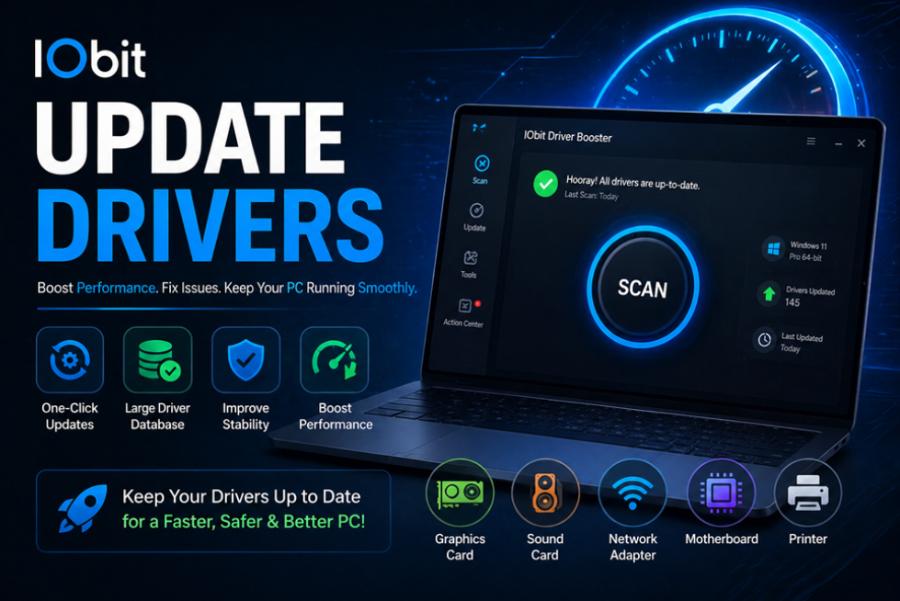
Every gamer wants a smooth and responsive gaming experience. While powerful hardware plays an important role, system optimization is just as essential. Regularly update drivers, checking hardware compatibility with a bottleneck calculator, and estimating game performance using an FPS calculator are three simple practices that can help maximize your PC’s potential.
Whether you’re building a new gaming computer or trying to improve an existing one, these tools provide valuable insights that can lead to better performance and a more enjoyable gaming experience.
Why You Should Update Drivers
Drivers are software components that allow your operating system to communicate with hardware devices such as graphics cards, processors, network adapters, and audio devices.
Manufacturers frequently release driver updates to improve compatibility, fix bugs, enhance security, and optimize performance for newly released games.
Choosing to update drivers regularly offers several advantages:
- Better game compatibility
- Improved system stability
- Higher frame rates in supported games
- Security improvements
- Bug fixes for graphics and audio
- Support for new gaming technologies
Outdated drivers may lead to crashes, graphical glitches, poor performance, or hardware not functioning as expected.
Graphics Drivers Matter Most
Among all hardware components, graphics drivers receive the most frequent updates. GPU manufacturers continuously optimize their drivers for the latest game releases and graphics technologies.
When you update drivers for your graphics card, you may notice smoother gameplay, reduced input lag, improved visual quality, and better overall system reliability.
Keeping GPU drivers current is one of the easiest ways to improve gaming performance without purchasing new hardware.
Understanding a Bottleneck Calculator
A bottleneck calculator helps users estimate whether one hardware component limits the performance of another.
For example, pairing an entry-level processor with a high-end graphics card can prevent the GPU from reaching its maximum performance. Likewise, an outdated graphics card may limit the capabilities of a powerful processor.
A bottleneck calculator compares components such as:
- CPU
- GPU
- RAM
- Display resolution
- Intended workload
Although these tools provide estimates rather than exact measurements, they are useful when planning upgrades or assembling a balanced gaming PC.
Why Hardware Balance Is Important
Balanced hardware ensures that every component works efficiently without creating unnecessary limitations.
If your processor cannot keep up with your graphics card, games may experience lower frame rates, stuttering, or inconsistent performance. On the other hand, upgrading only the processor while keeping an older graphics card may also limit performance improvements.
Using a bottleneck calculator before purchasing new components helps users make informed upgrade decisions and avoid unnecessary spending.
What Is an FPS Calculator?
An FPS calculator estimates the frame rate you can expect in games based on your hardware configuration.
Instead of relying solely on minimum or recommended system requirements, these calculators consider factors such as:
- Processor model
- Graphics card
- Installed RAM
- Game resolution
- Graphics settings
The estimated FPS helps users understand how well their system may perform before installing or purchasing a game.
Why FPS Matters
Frames per second directly affect how smooth a game feels.
General performance expectations include:
- 30 FPS for basic playability
- 60 FPS for smooth gaming
- 120 FPS or higher for competitive gaming
- 144 FPS or more for high-refresh-rate monitors
An FPS calculator helps gamers decide whether they should lower graphics settings, upgrade hardware, or expect satisfactory performance with their current setup.
Combining These Tools for Better Results
Using all three resources together provides a more complete picture of your computer’s gaming capabilities.
First, update drivers to ensure your hardware operates with the latest optimizations and compatibility improvements.
Next, use a bottleneck calculator to determine whether your processor and graphics card are well balanced. If a significant bottleneck exists, you can prioritize the component that will provide the greatest performance improvement.
Finally, check an FPS calculator to estimate expected frame rates in your favorite games. This allows you to adjust graphics settings or plan future upgrades more effectively.
Additional Tips for Better Gaming Performance
Besides using these tools, regular maintenance can further improve your gaming experience.
Helpful practices include:
- Keep Windows updated
- Close unnecessary background applications
- Remove temporary files
- Monitor CPU and GPU temperatures
- Upgrade to an SSD if possible
- Ensure adequate cooling
- Maintain sufficient free storage space
These habits help create a faster, more stable gaming environment while reducing unexpected performance issues.
Final Thoughts
Optimizing a gaming PC involves more than simply buying expensive hardware. Learning to update drivers, evaluating component compatibility with a bottleneck calculator, and estimating game performance using an FPS calculator can significantly improve your overall experience.
These tools help gamers make smarter upgrade decisions, reduce troubleshooting, and maximize the performance of their existing systems. Whether you’re a casual player or a competitive gamer, regular optimization and informed hardware planning will keep your PC running efficiently and ready for the latest games.