

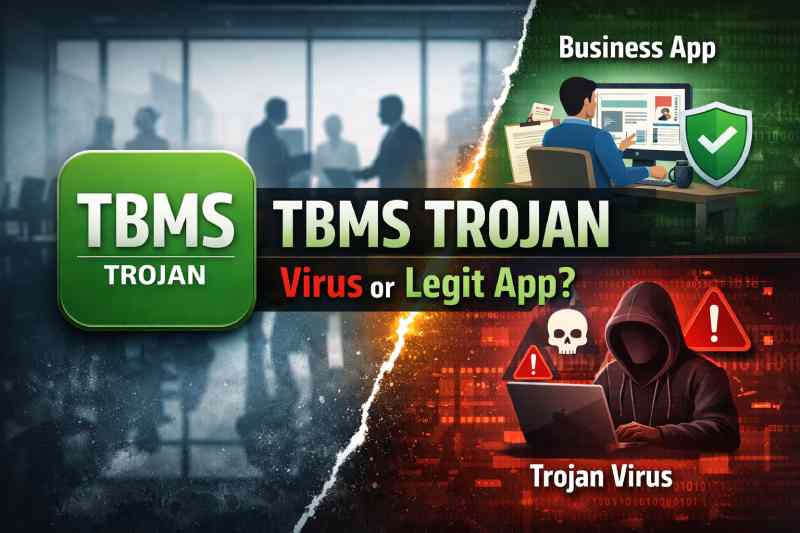
The phrase TBMS Trojan often raises immediate concern. The word “Trojan” alone is enough to make most people think of malware, hacking, and data theft. In today’s digital environment, where cybersecurity threats are increasingly sophisticated, it is understandable why users might panic upon encountering such a term. However, the reality behind TBMS Trojan is far less alarming than it sounds.
What Is TBMS Trojan?
At its core, TBMS Trojan is not a virus. It refers to a business application known as the Trojan Business Management System (TBMS). This system is typically used by employees within certain organizations—most notably companies operating under the name “Trojan,” such as construction or engineering firms.
The application is designed for internal use, meaning it is not intended for the general public. Employees use it to access company systems, manage tasks, submit requests, and communicate within the organization.
Key Functions of TBMS Trojan
- Employee login and authentication
- Access to HR-related services
- Request submissions (leave, approvals, etc.)
- Internal communication tools
- IT support or helpdesk integration
So, in essence, TBMS Trojan is a workplace productivity tool, not malicious software.
Why the Name Causes Confusion
The confusion surrounding TBMS Trojan comes almost entirely from the word “Trojan.” In cybersecurity, a Trojan refers to a type of malicious program that disguises itself as legitimate software. This overlap in terminology leads many users to assume that anything labeled “Trojan” must be dangerous.
Two Different Meanings of “Trojan”
- In Cybersecurity
A Trojan is malware that tricks users into installing it, often leading to data theft or unauthorized access. - In TBMS Trojan
“Trojan” is simply part of the company’s name. It has nothing to do with malicious intent.
This naming overlap is the root cause of widespread misunderstanding.
Is TBMS Trojan Safe?
The short answer is: yes, TBMS Trojan is safe when used in its intended context.
However, like any software, its safety depends on how and where it is obtained.
When TBMS Trojan Is Safe
- Installed through official company channels
- Used by authorized employees
- Accessed within a secure organizational environment
When You Should Be Cautious
- Downloaded from unofficial or unknown websites
- Installed without knowing its origin
- Requested by suspicious third parties
Even legitimate apps can pose risks if distributed through unreliable sources. The key is verification and trust.
How TBMS Trojan Works
Understanding how TBMS Trojan functions helps clarify why it is not a threat. It operates much like any enterprise-level application designed for internal business use.
System Architecture
- User Authentication Layer: Ensures only authorized users can access the system
- Database Integration: Stores employee data securely
- Interface Layer: Provides a user-friendly dashboard for employees
- Backend Services: Handles requests, approvals, and communication
This structure is typical of modern enterprise software and does not resemble malicious behavior.
Differences Between TBMS Trojan and Real Trojans
To fully eliminate confusion, it is important to compare TBMS Trojan with actual Trojan malware.
TBMS Trojan
- Legitimate business application
- Used internally by companies
- Requires proper login credentials
- Designed for productivity
Real Trojan Malware
- Hidden malicious intent
- Disguised as useful software
- Can steal data or damage systems
- Often installed unknowingly
The difference is clear: one is a tool, the other is a threat.
Why You Might See “TBMS Trojan” on Your Device
There are several reasons why the term TBMS Trojan might appear on your phone or computer.
Common Scenarios
- Work Device Installation
If you are employed by a company that uses TBMS, it may be pre-installed. - APK Downloads
You might see it if you browse third-party app stores. - Security Alerts
Some antivirus tools flag apps with “Trojan” in their name, even if they are safe. - Shared Devices
Someone else may have installed it for work purposes.
Understanding the context is essential before assuming anything is wrong.
Security Considerations
Even though TBMS Trojan itself is not harmful, it is still important to follow good security practices.
Best Practices
- Only install apps from trusted sources
- Avoid unknown APK files
- Check app permissions before installation
- Keep your device updated
- Use reliable antivirus software
These steps ensure that you remain protected—not just from misunderstandings like TBMS Trojan, but from real threats.
Permissions and Privacy
Like most enterprise apps, TBMS Trojan may request certain permissions to function properly.
Typical Permissions
- Internet access
- Device storage
- Notifications
- Camera (for profile updates or documentation)
These permissions are generally standard. However, if you notice unusual or excessive access requests, it is worth investigating further.
Should You Install TBMS Trojan?
The answer depends entirely on your situation.
Install It If:
- Your employer requires it
- It comes from an official source
- You understand its purpose
Avoid It If:
- You do not know what it is
- It appears suspicious
- It is downloaded from unknown websites
In short, context matters more than the name.
Common Myths About TBMS Trojan
There are several misconceptions that continue to circulate online.
Myth 1: TBMS Trojan is a virus
Reality: It is not malware; it is a business application.
Myth 2: It can hack your phone
Reality: It does not have malicious capabilities.
Myth 3: Antivirus warnings confirm it is dangerous
Reality: Alerts may be triggered by the word “Trojan,” not actual behavior.
Myth 4: All apps with “Trojan” are unsafe
Reality: Names alone do not determine security.
Clearing these myths is essential for making informed decisions.
How to Verify If It’s Legitimate
If you are unsure about TBMS Trojan, you can take a few simple steps to verify its authenticity.
Verification Steps
- Check with your employer or IT department
- Confirm the app publisher
- Look at installation source
- Review permissions and behavior
These checks can quickly confirm whether the app is safe.
What to Do If You’re Still Unsure
If you remain uncertain after verification, it is better to act cautiously.
Recommended Actions
- Uninstall the app
- Run a security scan
- Avoid logging in
- Seek expert advice
Taking precautionary steps ensures your data remains secure.
The Role of Enterprise Apps in Modern Workplaces
To understand TBMS Trojan better, it helps to see the bigger picture. Enterprise applications like TBMS are becoming increasingly common.
Why Companies Use Such Systems
- Streamline operations
- Improve communication
- Manage employee workflows
- Enhance productivity
These systems are not only safe but essential in many industries.
How Naming Impacts Perception
The case of TBMS Trojan highlights how naming can influence perception. A single word can lead to widespread misunderstanding.
Lessons from This Case
- Technical terms can have multiple meanings
- Context is crucial
- Users should verify before reacting
This is a valuable reminder in today’s fast-moving digital world.
FAQs
1. Is TBMS Trojan a virus or malware?
No, TBMS Trojan is not a virus. It is a legitimate business application used by certain companies for internal operations.
2. Why does antivirus software sometimes flag TBMS Trojan?
Some antivirus tools may flag it due to the word “Trojan” in the name, even though the app itself is not harmful.
3. Should I remove TBMS Trojan from my phone?
If you did not install it knowingly or do not need it for work, it is safer to remove it and verify its source.
Conclusion
The term TBMS Trojan may sound alarming at first, but it is a classic example of how misunderstanding can arise from terminology alone. Despite the presence of the word “Trojan,” this application is not a form of malware. Instead, it is a legitimate enterprise tool designed to support internal business processes.
The key takeaway is simple: context matters more than labels. Not everything that sounds suspicious is dangerous, and not every alert indicates a real threat. By understanding how TBMS Trojan works and verifying its source, you can make informed decisions without unnecessary fear.