

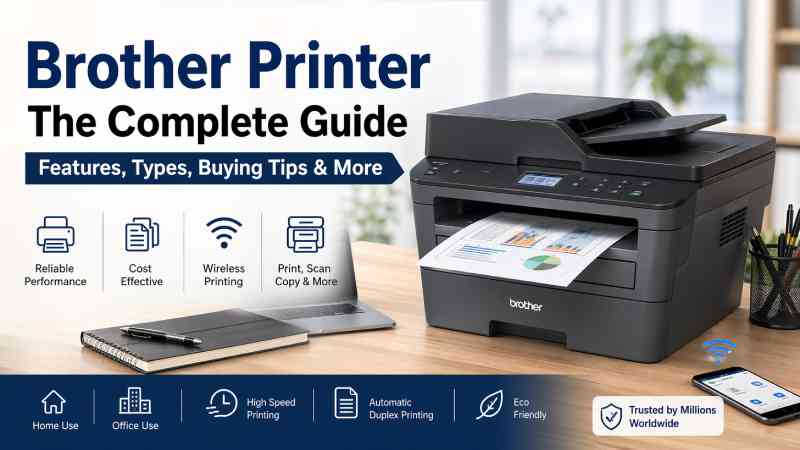
When it comes to reliable and efficient printing solutions, the Brother Printer stands out as one of the most trusted choices in both homes and offices. Manufactured by Brother Industries, these printers are known for their durability, cost-effectiveness, and user-friendly design.
Introduction to Brother Printers
A Brother Printer is more than just a device that puts ink on paper. It is part of a broader ecosystem of printing solutions designed to support productivity, efficiency, and long-term value. Brother has built a strong reputation over decades by focusing on practical innovation rather than flashy features.
Whether you are printing school assignments, business reports, invoices, or photographs, Brother printers offer dependable performance with minimal hassle. Their strong presence in the UK market reflects their reliability and adaptability to different user needs.
Types of Brother Printers
Understanding the different types of Brother Printer models is essential before making a purchase. Each category is designed with a specific purpose in mind.
Inkjet Printers
Inkjet Brother Printer models are ideal for home users and light workloads. They use liquid ink to produce sharp text and vibrant images.
These printers are particularly useful for:
- Printing photos and colour documents
- Occasional use at home
- Students and small households
They are usually affordable upfront, though ink costs can add up over time.
Laser Printers
Laser Brother Printer models are widely used in offices due to their speed and efficiency. Instead of ink, they use toner powder, which lasts longer and prints faster.
They are best suited for:
- High-volume printing
- Black-and-white documents
- Professional environments
Laser printers typically have a higher initial cost but are cheaper per page in the long run.
All-in-One (Multifunction) Printers
These Brother Printer models combine multiple functions into one device, including:
- Printing
- Scanning
- Copying
- Faxing (in some models)
They are excellent for both home offices and businesses that require flexibility without using multiple devices.
Portable and Compact Printers
Brother also produces compact printers for users who need mobility. These are particularly useful for:
- Field workers
- Travelling professionals
- Small desk setups
Despite their size, they still deliver impressive performance.
Key Features of Brother Printers
One of the reasons Brother Printer models are so popular is the range of practical features they offer.
Wireless Connectivity
Most modern Brother Printer devices support Wi-Fi, allowing users to print from:
- Laptops
- Smartphones
- Tablets
This eliminates the need for cables and makes printing far more convenient.
Mobile Printing Support
Brother printers are compatible with mobile printing technologies, enabling seamless printing from apps and cloud services.
High Print Speed
Laser Brother Printer models are particularly known for their fast output, making them ideal for busy environments where time matters.
Automatic Duplex Printing
Many models offer automatic double-sided printing, which:
- Saves paper
- Reduces costs
- Supports environmentally friendly practices
Large Paper Capacity
Business-oriented Brother Printer models often come with larger trays, reducing the need for constant refilling.
Advantages of Choosing a Brother Printer
Reliability
Brother Printer devices are built to last. Users often report years of consistent performance with minimal issues.
Cost Efficiency
Although some models may seem expensive initially, they are cost-effective over time due to:
- High page yield
- Affordable toner replacements
- Energy-efficient operation
Ease of Use
Brother printers are designed with simplicity in mind. Even users with limited technical knowledge can set them up and operate them easily.
Strong Business Support
Brother has a strong presence in the UK, offering:
- Customer support
- Warranty services
- Replacement parts
This makes it a dependable choice for professional environments.
Limitations to Consider
While Brother Printer models offer many benefits, it is important to consider a few limitations.
Photo Printing Quality
Inkjet models perform well, but Brother printers are not always the top choice for professional-grade photo printing compared to specialised brands.
Cartridge Costs
Although efficient, replacement ink or toner can still be a recurring expense.
Basic Design
Brother focuses on functionality over aesthetics, so their printers may not have the most modern or stylish appearance.
Brother Printer for Home Use
For home users, a Brother Printer provides a balance between performance and affordability.
Ideal Use Cases
- Printing homework
- Personal documents
- Occasional photos
Recommended Features
- Wireless printing
- Compact size
- Affordable cartridges
Inkjet or entry-level all-in-one models are usually the best fit for home environments.
Brother Printer for Office Use
In office settings, the Brother Printer truly shines.
Ideal Use Cases
- High-volume document printing
- Reports and invoices
- Shared office use
Recommended Features
- Laser printing technology
- Duplex printing
- Network connectivity
These features help improve productivity and reduce operational costs.
How to Choose the Right Brother Printer
Selecting the right Brother Printer depends on your specific needs.
Consider Your Usage
- Low usage → Inkjet
- High usage → Laser
Colour vs Black and White
- Colour printing → Inkjet or colour laser
- Text documents → Monochrome laser
Budget
- Lower upfront cost → Inkjet
- Long-term savings → Laser
Space
- Limited space → Compact model
- Office setup → Larger multifunction device
Setting Up a Brother Printer
Setting up a Brother Printer is generally straightforward.
Basic Steps
- Unbox the printer and remove packaging
- Install ink or toner cartridges
- Load paper into the tray
- Connect to Wi-Fi or USB
- Install drivers on your device
Most models include guided setup instructions, making the process easy even for beginners.
Maintaining Your Brother Printer
Proper maintenance ensures your Brother Printer performs well for years.
Regular Cleaning
Dust and debris can affect print quality, so occasional cleaning is important.
Use Genuine Supplies
Using original Brother ink or toner helps maintain performance and avoid damage.
Keep Software Updated
Updating drivers and firmware ensures compatibility and optimal performance.
Avoid Long Periods of Inactivity
If unused for too long, inkjet printers may experience dried ink. Regular use prevents this issue.
Troubleshooting Common Issues
Even the best Brother Printer can occasionally face problems.
Printer Not Responding
- Check power connection
- Ensure Wi-Fi is connected
- Restart the device
Poor Print Quality
- Clean print heads
- Replace ink or toner
- Adjust print settings
Paper Jams
- Remove stuck paper carefully
- Check for debris inside the printer
- Ensure proper paper alignment
Environmental Impact and Sustainability
Brother has taken steps to make its printers more environmentally friendly.
Energy Efficiency
Many Brother Printer models consume less power, helping reduce electricity bills.
Recycling Programmes
Brother encourages recycling of used cartridges, reducing environmental waste.
Duplex Printing
Automatic double-sided printing reduces paper usage significantly.
Why Brother Printers Are Popular in the UK
The popularity of Brother Printer models in the UK is not accidental. They align well with the needs of both individuals and businesses.
Key Reasons
- Reliable performance
- Affordable long-term costs
- Strong customer support
- Wide product availability
These factors make Brother a trusted brand across various sectors.
Future of Brother Printers
As technology evolves, Brother Printer models continue to improve.
Emerging Trends
- Cloud-based printing
- Smart office integration
- Enhanced mobile compatibility
Brother’s focus remains on practical innovation rather than unnecessary complexity, ensuring their printers remain relevant in modern environments.
FAQs
1. Is a Brother Printer good for home use?
Yes, a Brother Printer is an excellent choice for home use, especially for documents and occasional colour printing.
2. Are Brother Printers expensive to run?
They are generally cost-efficient, particularly laser models, which offer a low cost per page.
3. Which Brother Printer is best for office work?
A laser multifunction Brother Printer is ideal for office use due to its speed and efficiency.
Conclusion
The Brother Printer has earned its place as a reliable and practical choice for users around the world. Whether you need a simple device for home tasks or a powerful machine for office operations, Brother offers a solution that balances performance, durability, and cost.
By understanding the different types, features, and maintenance requirements, you can confidently choose the right Brother Printer to suit your needs. Investing in the right model not only improves productivity but also ensures long-term value and peace of mind.